AI agents across the finance function: budgeting, monthly reporting, month-end close, deal review and investor reporting. Built by SFS and tested on real work.
In almost every finance team we see, the output is a document with little or no way to interact with the data behind it.
| Area | The status quo | What SFS has built |
|---|---|---|
| Budget & forecast | Built once a year in linked spreadsheets; actuals re-keyed by hand, so the reforecast is out of date when read. | 01 · Budget & reforecast agent |
| Monthly reporting | The pack takes days to produce, then management’s questions come back to finance one at a time. | 02 · Monthly accounts agent |
| Month-end close | Run from a checklist and chased by email. Nobody sees what is late until the deadline has passed. | 03 · Month-end close tracker |
| Deal appraisal | Deal data re-keyed into models by hand; IC memos are fixed snapshots of one set of assumptions. | 04 · Deal funnel review agent |
| Investor reporting | Quarter-end packs take weeks; investors get a static PDF and send questions back to finance. | 05 · Quarter-end investor reporting |
Tools 01 to 03 are in use today at a multi-factory manufacturer, tested against its real monthly packs. Tools 04 and 05 were built with practitioners for real estate and private markets teams and are available to pilot. Every tool can be shown live on illustrative data.
A budget model the team can trust, flex and question.
Live demo on illustrative data available on request.
Book a walkthrough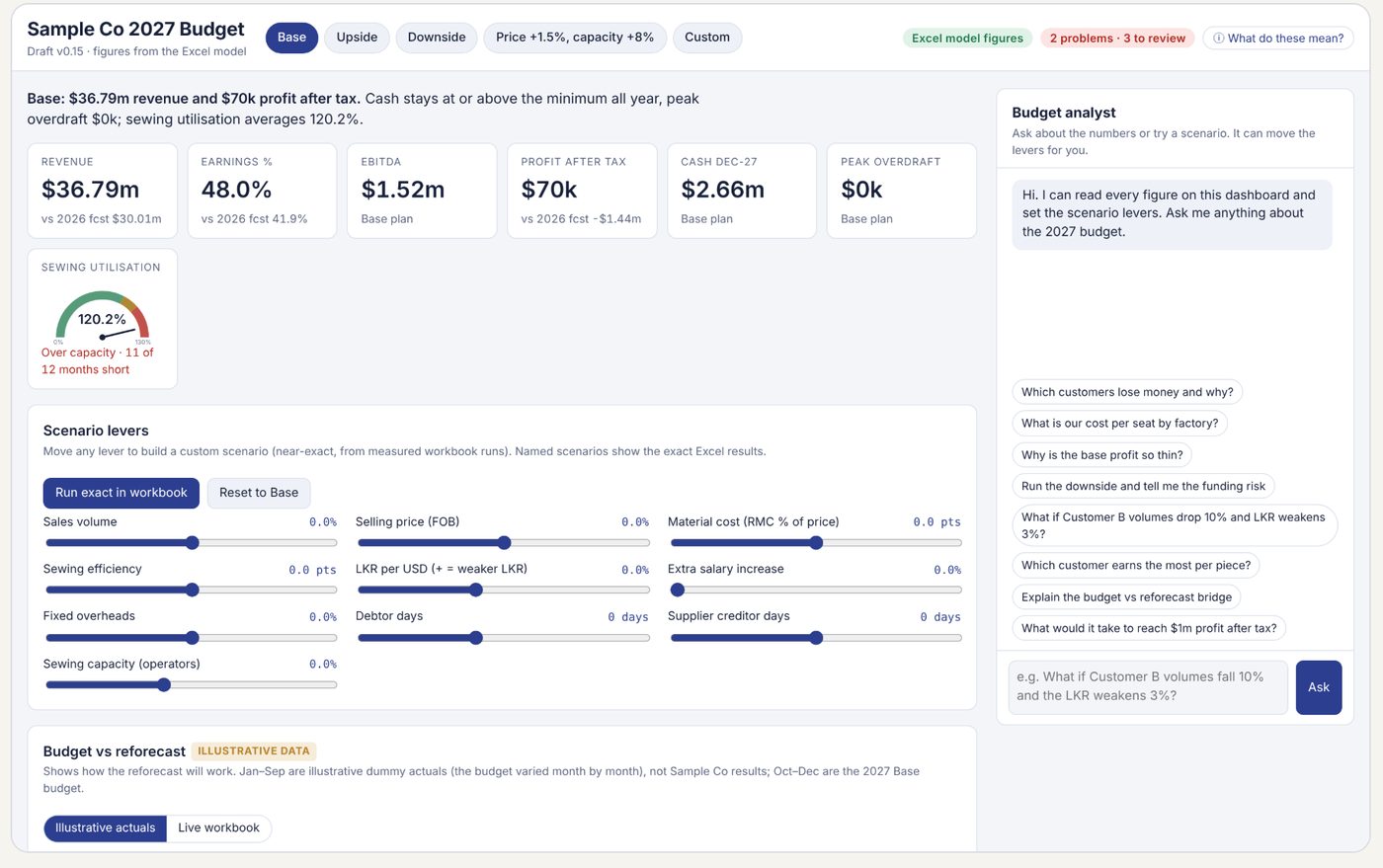
Monthly accounts become a dashboard you can question.
Live demo on illustrative data available on request.
Book a walkthrough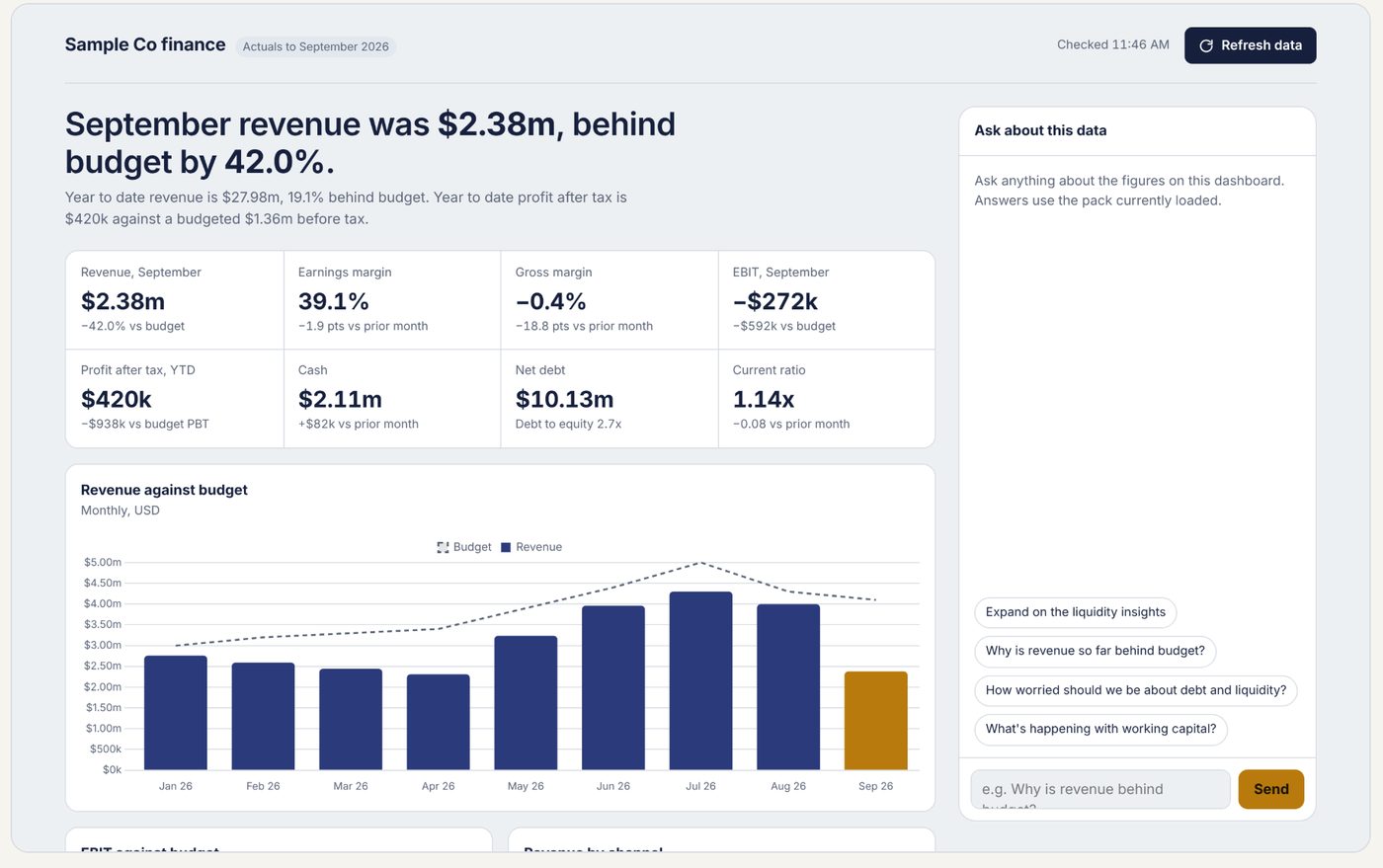
A close calendar that chases itself.
Demo with sample tasks and roles available on request.
Book a walkthrough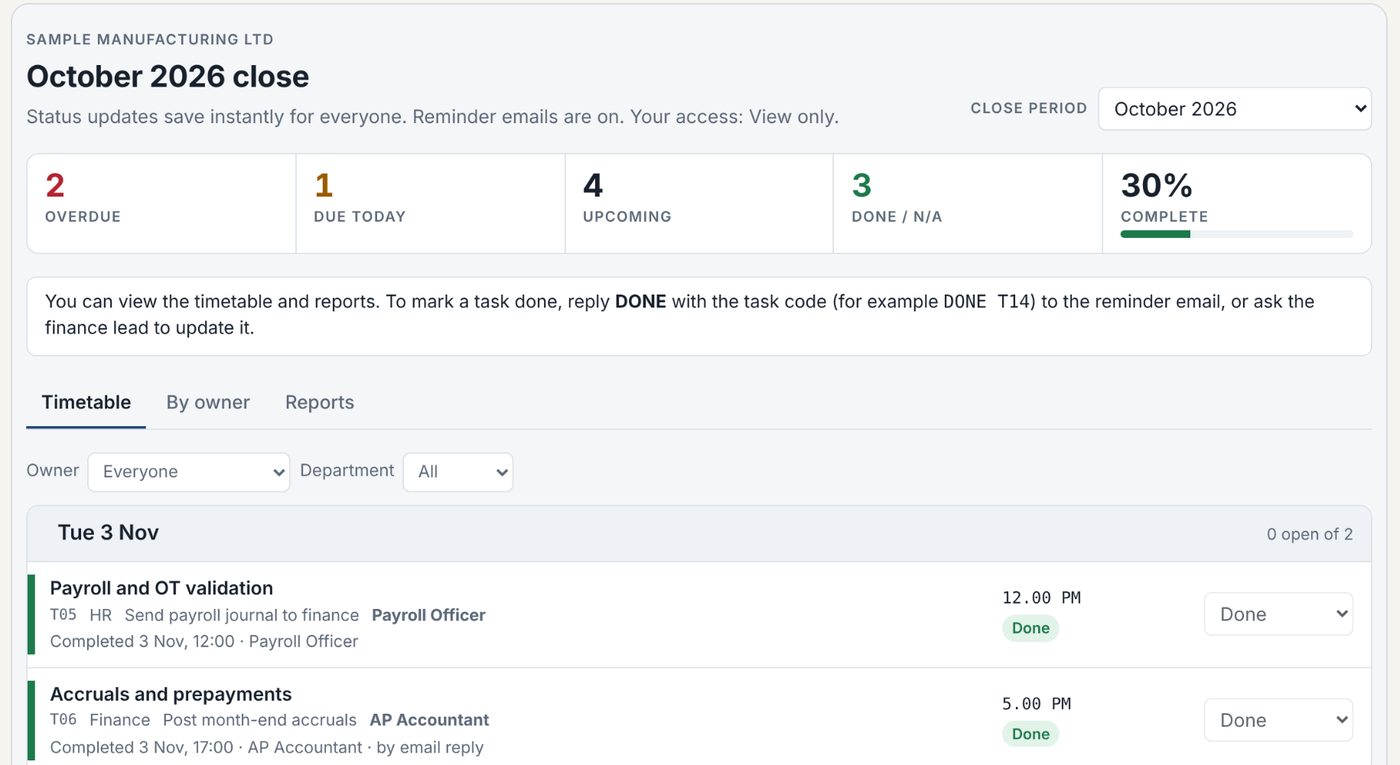
From raw deal data to an IC-ready model, in one pass.
Built with practitioners and tested on an anonymised office deal. Available to pilot; live walkthrough on request.
Book a walkthroughRun the whole quarter-end. Publish it live.
Built with practitioners on an illustrative fund; figures are not real. Available to pilot.
Book a walkthrough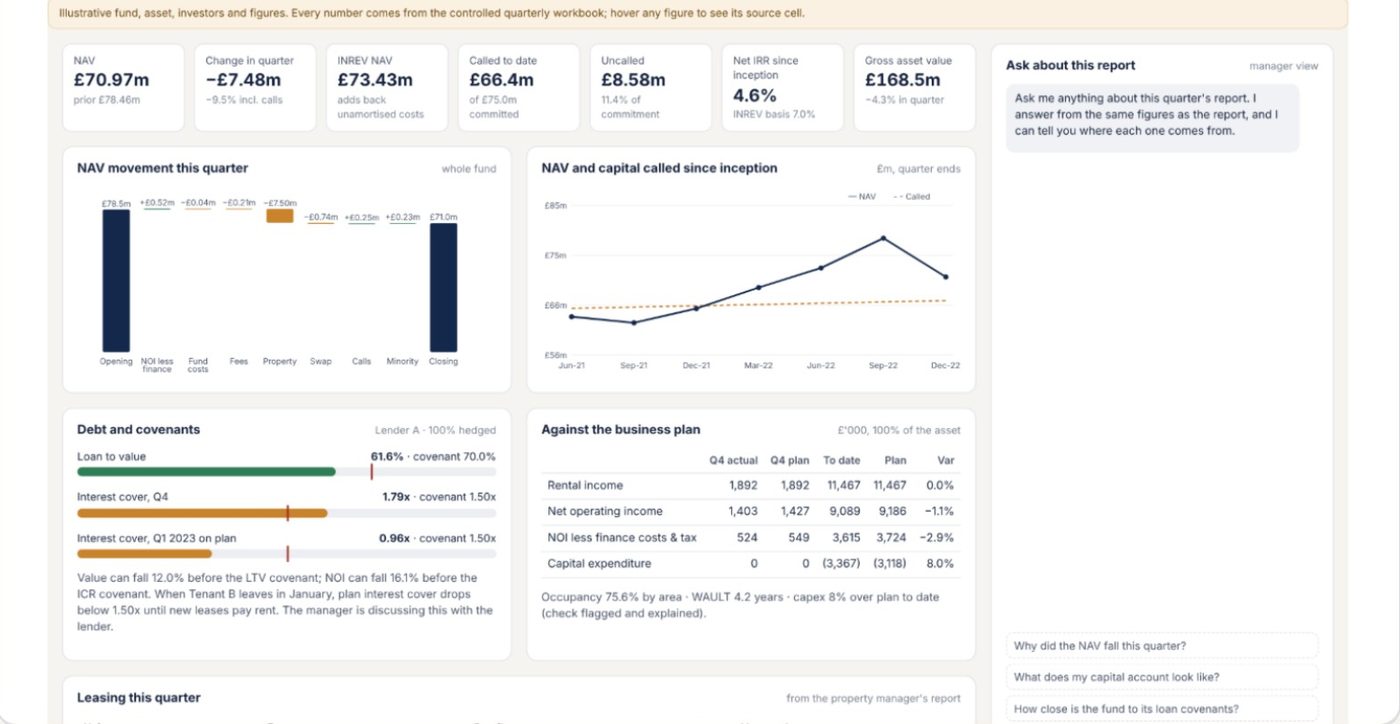
| ERP | FP&A software suite | SFS tools | |
|---|---|---|---|
| Role | Runs the ledger and transactions | A dedicated planning platform | A layer on top of your ERP, Excel or data warehouse |
| Time to value | Already in place | Typically months to implement | Weeks |
| Output | Standard, mostly static reports | Dashboards that often need specialists to change | Interactive: ask questions, flex scenarios |
| Ownership | IT-led change | Vendor licence and specialist admin | Design, build, transfer: your team owns it |
| Data sources | Its own database | Its own platform; usually replaces Excel | Excel and/or any data warehouse |
Built on the Excel files, data and mailboxes you already use. Weeks, not quarters.
Locked outputs, automatic checks, sign-off per input tab, and estimates labelled as estimates.
Dashboards are shared only with named reviewers. Your data stays within agreed access.
Design → Build → Transfer. We design and build with your team, then hand over the tools, files and run-books. Your team runs them, with no lock-in.
A 30-minute walkthrough on illustrative data, then an honest view of where they would save your team time.
 SERENDIB FINANCIAL SERVICES